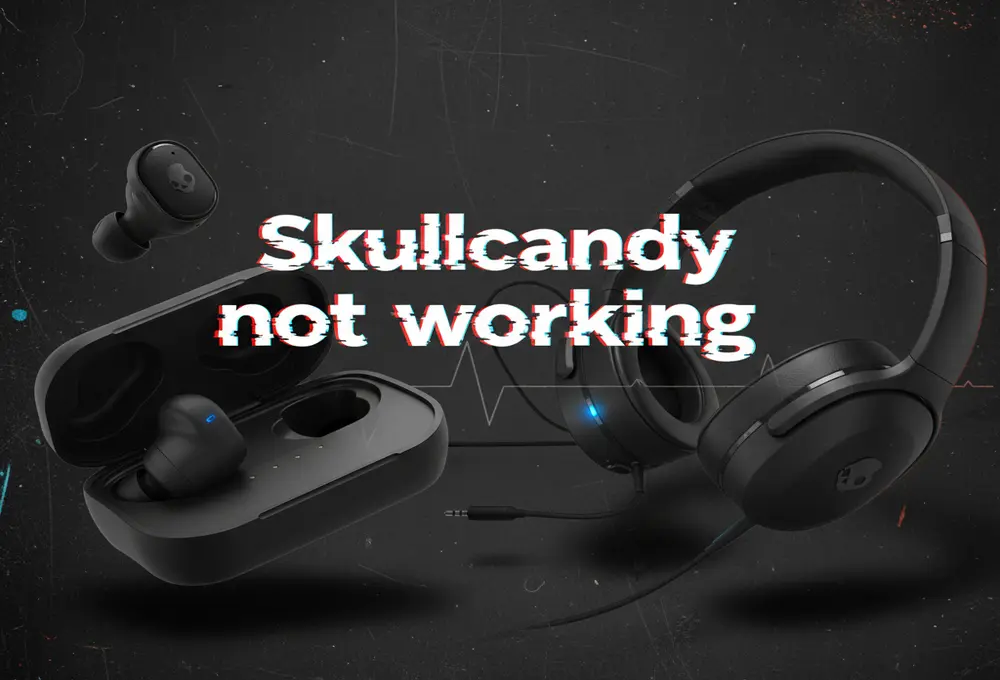
Have you ever put on your Skullcandy earbuds or headphones only to find they won’t connect or the sound is muffled? It’s frustrating when Skullcandy earbuds or headphones not working as expected. These problems are surprisingly common, especially with popular models like Hesh ANC, Crusher Evo, Indy Evo, or Sesh True Wireless. In this guide, we’ll cover every major issue, from pairing failures to battery drain, with step-by-step fixes. We use plain language and real technician insights, so even non-experts can follow along. Let’s dive in.
Important Info:
If you just bought a Skullcandy headphone and it’s not pairing properly, even when following instructions, consider a refund. Some new units may have defects that are not worth the hassle. Exploring alternative headphones can save both time and money.
Skullcandy headphones typically perform best for about 18 months. Beyond that, repairs may only extend usage slightly. If you rely on them for travel or daily use, a new pair might be a better choice.
Skullcandy comes with a one-year limited warranty for manufacturing defects. Keep your proof of purchase and submit a claim via Skullcandy’s website. They’ll provide a prepaid label to send your headphones for repair or replacement. If your warrant has ended then contact our recommended repair service providers, Below.
Below, we’ve also included some technical details. If you’re not a trained technician or don’t have access to parts, these are for reference only, try them at your own risk.
Skullcandy Not Working? Troubleshoot & Fixing
Not Pairing:
When your Skullcandy headphones or earbuds are not pairing at all, always start with the basic fixes. First, power-cycle everything by turning your headphones or earbuds and your phone or computer completely off, then back on. Make sure Bluetooth is enabled on your device and remove any old or saved Skullcandy entries from the Bluetooth list before trying again. For true wireless earbuds, placing both earbuds back into the charging case for a few seconds can help reset their connection.
If pairing still fails, try restarting your phone’s Bluetooth or briefly turning Airplane Mode on and off. It’s also important to follow the correct pairing method for your specific model. Most Skullcandy headphones will flash red and blue or give a voice prompt when they are in pairing mode. For example, models like the Hesh ANC enter pairing mode by holding the power and volume-down buttons together. If you suspect one side may be faulty, try pairing only one earbud or headphone side at a time to identify the issue.
When these basic steps do not work, the problem is often internal. From a technician’s perspective, pairing failures are commonly caused by issues with the Bluetooth module, battery, or internal wiring. These faults cannot be seen from the outside and usually require professional inspection.
In over-ear and on-ear headphones, the Bluetooth components are housed inside one of the earcups. Models such as the Crusher Wireless or Crusher Evo can be accessed by carefully removing the ear cushion and internal screws. Inside, a technician checks whether the Bluetooth antenna is loose, whether the battery is delivering stable power, and whether any solder joints on the Bluetooth board have weakened over time. Even a minor wiring issue can prevent the headphones from entering or maintaining pairing mode.
For true wireless earbuds, pairing problems usually involve the charging case rather than the earbuds alone. Skullcandy models like the Indy Evo or Dime rely on the case to synchronize both earbuds before they connect to a phone. If one earbud refuses to pair, the cause is often dirty or worn charging contacts, uneven battery levels, or a faulty internal pairing switch.
As a technician, the first step is checking whether both earbuds are charging properly and whether the case contacts are clean and making solid electrical contact. Dirt, moisture, or corrosion on the pins can stop one earbud from syncing, which causes pairing to fail entirely. Cleaning the contacts with isopropyl alcohol and checking continuity often restores normal pairing. If that does not work, the issue may be a weak battery or damaged internal switch, which requires careful internal repair using proper tools.
Pairing But Keeps Disconnecting:
If your Skullcandy headphones or earbuds connect successfully but keep disconnecting, start with basic checks. Stay within normal Bluetooth range, which is about 10 meters or 30 feet, and avoid physical obstacles like walls or large metal objects. Wireless interference can also cause dropouts, so move away from Wi-Fi routers, microwaves, or other Bluetooth devices. Turning off Bluetooth on nearby phones or laptops helps prevent your Skullcandy device from switching between connections.
Next, check your phone or computer settings. Disable battery-saving or power-optimization features that may be putting Bluetooth to sleep in the background. Restart your audio apps and make sure no other apps are interrupting playback. If you’re using true wireless earbuds and one side keeps disconnecting, placing both earbuds back into the case and then taking them out together can help re-sync them. Performing a full factory reset on the headphones or earbuds often fixes repeated disconnections by clearing old or corrupted connection data.
When basic fixes don’t solve the problem, the issue is often hardware-related. From a technician’s point of view, frequent disconnections are commonly caused by unstable battery power or a weak Bluetooth signal inside the headphones. If the battery level is very low or no longer holds a steady charge, the Bluetooth connection may drop repeatedly. In over-ear models, a technician will open the earcup to inspect the Bluetooth antenna, internal cables, and solder joints. Signs of moisture damage or a swollen battery are also checked, as these issues commonly lead to unstable connections.
In some cases, the Bluetooth chip itself may be failing. A technician may test the board or replace internal components if needed. Software compatibility can also play a role. Certain Skullcandy models, such as the Crusher Evo, have experienced disconnection issues on specific phone software versions. Updating the phone’s operating system or Bluetooth drivers often resolves these problems, and a technician will always check for firmware compatibility before attempting hardware repair.
For true wireless earbuds, repeated disconnections are usually related to the charging case or one weak earbud. The charging case is responsible for syncing both earbuds, A technician will inspect and clean the charging pins inside the case and on the earbuds, as dirt or corrosion can interrupt both charging and communication. If one earbud has a weak battery or poor internal contact, it may disconnect randomly even though it appears charged.
If cleaning and resets don’t help, a technician may carefully open the earbud to inspect the battery connections and internal Bluetooth components.
Not Charging:
If your Skullcandy headphones or earbuds are not charging, start with the simple checks. Try a different USB cable and power source, as faulty cables and adapters are a common cause. Look closely at the charging port on the headphones or the charging case using a flashlight. Dust, lint, or debris can block the connection and stop charging. Gently clean the port using compressed air or a wooden toothpick, being careful not to damage the connector.
For headphones with a detachable charging cable, make sure the plug is fully inserted and the pins are not bent. Use a standard 5V charger, as fast chargers with higher voltage can sometimes prevent Skullcandy devices from charging properly. After plugging in, leave the headphones connected for a few minutes even if no charging light appears, since some models take time before showing an indicator. If none of these steps work, the issue is likely related to the charging port or battery.
From a technician’s perspective, charging failures in Skullcandy headphones usually involve a worn charging port or a degraded battery. A technician may open the earcup or base of the headset to inspect the charging connector on the circuit board. If the port is loose or damaged, it can often be repaired or replaced. If the port is intact, the battery is tested. In wireless models like the Hesh or Crusher, batteries naturally degrade after extended use and may no longer accept a charge. Replacing the internal lithium battery often restores normal charging when basic fixes fail.
For true wireless earbuds, charging problems are most commonly linked to the charging case. The case pins and the contacts on the earbuds must align perfectly to allow power to flow. A technician will inspect and clean these pins, as even a small amount of dirt or moisture can stop charging completely. Ear tips that are not seated correctly can also prevent the earbuds from sitting fully in the case, so proper fit is checked as well.
Not Loud:
If skullcandy sound too quiet, start with basic checks related to software and fit. Make sure your phone or computer volume is turned up fully and that no audio balance settings are shifting sound to one side. Try playing audio from a different app or device to rule out a low-volume file or app issue. If you use the Skullcandy app, reset any EQ or sound profile that may be reducing volume, and disable any safe-listening or volume-limiting feature if your model has one. A poor fit can also reduce sound, so adjust the earcups or change ear tips to ensure a proper seal, especially if bass sounds weak or one side is quieter.
If basic checks do not help, the issue may be hardware-related. From a technician’s perspective, low volume in over-ear or on-ear Skullcandy headphones is often caused by dirt buildup, worn ear pads, or internal speaker problems. A technician may remove the ear cushions to clean dust or debris from the speaker mesh, as blockages can significantly reduce sound output. If the speaker driver itself is damaged or partially detached, it may need to be reseated or replaced. In some cases, faulty volume buttons or a weakened internal amplifier can limit output, and repairing solder joints or refreshing firmware can restore normal volume. Certain Skullcandy models also rely on app-based sound processing, and resetting the app or firmware can resolve volume issues caused by stuck sound profiles.
For true wireless earbuds, reduced volume is most commonly caused by debris in the speaker grill. Earwax or dust can block sound even when the earbuds appear clean. A technician will remove the ear tip and carefully clean the mesh using alcohol and fine tools. If one earbud is consistently quieter, the internal speaker may be misaligned or partially damaged. In such cases, the technician may open the earbud to reseat or replace the driver. Weak charging contacts can also cause one earbud to undercharge, leading to lower volume, so the charging pins and battery connections are inspected and adjusted if needed.
ANC (Active Noise Cancellation) Not Working
If Active Noise Cancellation is not working on your Skullcandy headphones or earbuds, first confirm that ANC is actually turned on. ANC models such as Hesh ANC, Crusher ANC, or Sesh ANC do not always enable noise cancelling by default. Most Skullcandy ANC headphones announce “Noise Cancelling On” when activated, and the mode is usually toggled by pressing or double-pressing a dedicated button.
Some earbuds require holding a touch button for a few seconds. Also check the Skullcandy app, as ANC can be disabled there even if the headphones appear connected. If ANC still does not activate, power the device off and on, then try enabling ANC again. Make sure the battery is well charged, because many ANC models automatically disable noise cancellation when power is low. Updating the firmware through the Skullcandy app or ensuring your phone’s software is up to date can also resolve ANC glitches.
When basic checks fail, the problem is usually hardware-related. ANC headphones rely on tiny microphones and a control circuit to detect and cancel external noise. Dirt, moisture, or damage to the mic openings on the earcups can prevent ANC from functioning. A technician will clean the mics, inspect internal wiring, and test the preamp and control circuitry. In some models, the ANC chip itself or the toggle switch may fail, requiring replacement. Proper firmware and app updates can also fix minor ANC glitches, but persistent issues usually indicate a hardware fault.
Battery Draining Fast:
Rapid battery drain can happen on any Skullcandy wireless device, especially if multiple features like ANC, Stay-Aware, or Tile tracking are active. Streaming at high volumes or using multipoint Bluetooth connections can also consume more power. Start by checking usage patterns, disabling unnecessary features, and ensuring earbuds go fully to sleep in their case. Performing a firmware update or a factory reset can fix software bugs that cause continuous battery drain, and cleaning in-ear sensors with alcohol ensures earbuds recognize when they are not being worn.
If basic steps don’t help. Over time, Lithium-ion batteries naturally lose capacity, and a weak battery can drop below optimal voltage quickly. In headphones like the Hesh 3, replacing the battery often resolves persistent fast drain. Technicians also inspect the charging port and internal circuitry for corrosion, shorts, or stuck power ICs that could draw current even when the device appears off. For some models, a stuck Bluetooth radio or CPU component can keep the device awake, causing rapid discharge.
For true wireless earbuds, internal repairs are more delicate. A technician tests each bud’s battery and replaces cells that no longer hold charge. They also check the charging case and contacts, since bent pins or debris can prevent earbuds from sleeping, draining both the buds and the case battery. In advanced cases, the PCB or power circuit may be faulty, requiring component replacement or transplant into a donor case. Overall, cleaning contacts and replacing weak batteries restores normal battery life and prevents unexpected drain.
Mic Not Working:
If your Skullcandy microphone isn’t working for calls or voice commands, start by checking the basics. Test the headphones or earbuds on another device to rule out phone or app issues. Make sure the Skullcandy device is selected as the input source and not muted or set too low. In-app permissions, like in Zoom or games, may need enabling. For wireless devices, unpairing and re-pairing can fix Bluetooth profile glitches that prevent the mic channel from initializing. Wired models should have the cable fully inserted, as debris or loose connections can block the mic.
When basic checks fail, the problem is often hardware-related. Over-ear and on-ear headphones usually have a small microphone capsule in the earcup or inline controls. A technician checks that the mic isn’t blocked by dust or crushed, cleans it if necessary, and tests the wiring for continuity. If the capsule is faulty, it can be replaced, or in detachable cable models, the inline cable may be swapped. On some models, a shorted four-pole (TRRS) plug or a failed Bluetooth codec chip can also prevent mic transmission, requiring professional repair or board replacement.
For true wireless earbuds, the microphone repair is very delicate. Each bud contains a tiny MEMS mic soldered to the PCB. If one mic is silent, a technician carefully opens the shell, inspects the component, and replaces it or the small board segment if needed. Sometimes the issue is as simple as a blocked pinhole, which can be cleaned to restore function. Firmware updates are also important, as software bugs can mute Bluetooth microphones. In most cases, a non-working mic ultimately requires replacing the microphone capsule or the amplifier circuit inside the earbud.
Getting Professional Repair:
If your headphone or earbuds warranty has ended then you can contact these headphone repair service providers in your region.
| Country | Service Type | Name / Website |
|---|---|---|
| USA | Mail-in headphone repair | SJY Audio – sjyaudio.co |
| UK | In-shop / mail-in repair | AnyGadgetRepair anygadgetrepair.co.u |
| Finland / EU | Fixed-price headphone repair | Valco – valco.f |
Conclusion:
All in all, whether your earbuds won’t pair, the sound is weak, or the battery dies in minutes, there’s usually a solution. By trying the user-level steps above and knowing when to escalate to a technician, you can get your Skullcandy headphones or earbuds back to peak performance.