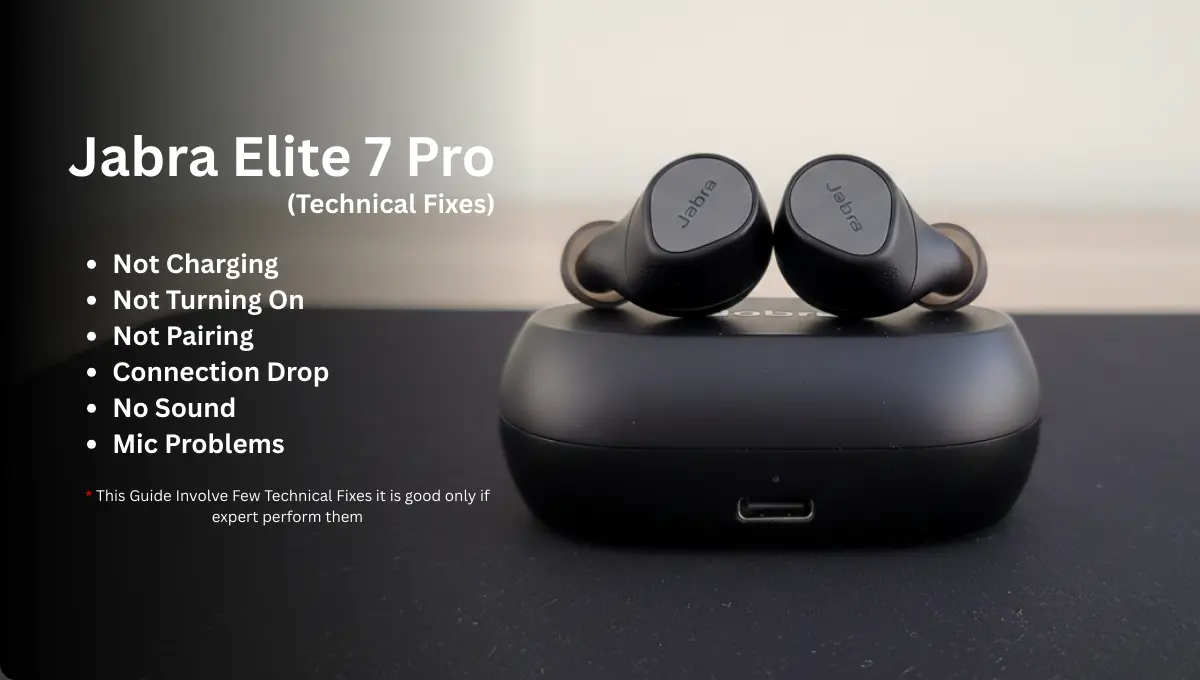
As wireless audio technology continues to advance, the Jabra Elite 7 Pro has become a popular choice for users seeking premium performance in a compact design. Known for its strong call quality and active noise cancellation, these earbuds have earned attention in a competitive market. However, like any advanced electronic device, users have reported certain technical issues that deserve closer attention.
Wireless earbuds like the Jabra Elite 7 Pro are designed for convenience, but even top-tier models can run into glitches. In this guide, we dive deep into the real problems users face and outline fixes from basic user checks to advanced technician procedures. We will take a detailed look at the most common Jabra Elite 7 Pro problems, including not turning on, sound problems, charging issues, and clicking noises. We will also explore practical troubleshooting steps and provide expert insights to help you better understand and resolve these concerns while improving your overall user experience.
Important Things to Know:
Experiencing Problems Soon After Purchase: If you notice issues with your Jabra Elite 7 Pro shortly after buying them, it is wise to consider returning them for a refund or requesting a replacement under warranty. The earbuds typically come with a 2-year warranty when registered, which includes coverage for dust and water resistance, along with a 1-year limited warranty that covers manufacturing defects. Always review your purchase date and warranty status to understand your available repair or replacement options.
If warranty has ended then look for local Repair service providers in your region from the list given at the end of this article.
Expected Lifespan: Under normal daily use of more than three hours per day, Jabra Elite 7 Pro earbuds generally perform reliably for around 22 to 28 months . If your earbuds are approaching the 22-month mark and you are beginning to notice reduced battery life or sound quality, it may be practical to consider upgrading to a new pair to maintain consistent performance and audio clarity.
Charging Issues:
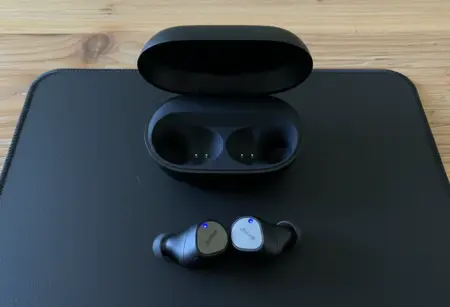
When Jabra Elite 7 Pro charging issues occur, the first step is to determine whether the problem lies with the earbuds, the charging case, or the power source. Start with controlled testing rather than assumptions. Use a verified working USB-C cable and a 5V/2A wall adapter. Avoid laptop USB ports during diagnosis because they may provide inconsistent current. Confirm that the charging case LED activates when plugged in. If there is no LED response, the issue is likely with the cable, adapter, or the case battery itself.
Next, inspect the charging contact system carefully. The Elite 7 Pro uses spring-loaded gold-plated pogo pins inside the case that must align precisely with the earbud charging pads. Even a thin layer of skin oil or oxidation can interrupt current flow. Clean both surfaces gently using a dry microfiber cloth or a cotton swab lightly dampened with isopropyl alcohol. After cleaning, insert the earbuds and confirm they sit magnetically and evenly in place. If one bud only charges when pressed down, this suggests weakened pogo pin tension or slight internal misalignment.
If the case has charge but the earbuds do not respond, allow them to remain in the powered case for at least 30 minutes before attempting any reset. A lithium battery that has dropped below its safe voltage threshold enters protection mode and will not respond immediately. A reset cannot be performed on fully depleted earbuds because the internal chipset requires minimal battery voltage to execute firmware commands. Therefore, charging must be restored before any reset attempt.
If rapid battery drain continues even after successful charging, the fault may lie within the case battery. The Jabra Elite 7 Pro charging case contains an internal lithium-polymer battery rated around 450mAh, along with a charging management IC that regulates voltage to the earbuds. If this internal cell degrades, the case may show partial LED activity but fail to deliver stable output to the pogo pins. In such cases, replacing only the charging case is often more practical than replacing both earbuds.
If only one earbud refuses to charge while the other functions normally, the issue is likely localized to that individual unit. Each earbud contains a compact lithium battery typically between 85-90mAh, along with a small power regulation circuit. A technician can open the earbud housing to test battery voltage and inspect solder joints at the charging pad terminals. In rare cases, cracked solder joints on the charging PCB inside the case can cause intermittent charging; skilled repair professionals may reflow the affected joints under controlled heat conditions. However, this procedure requires microsoldering expertise and should not be attempted without proper tools.
If testing confirms the case battery is defective but the earbuds are healthy, replacing the charging case alone is the most efficient solution. If a single earbud battery has degraded, purchasing an individual replacement earbud is typically more cost-effective than replacing the full set. Always verify region settings when checking availability to ensure compatible replacements are displayed.
Not Turning On:
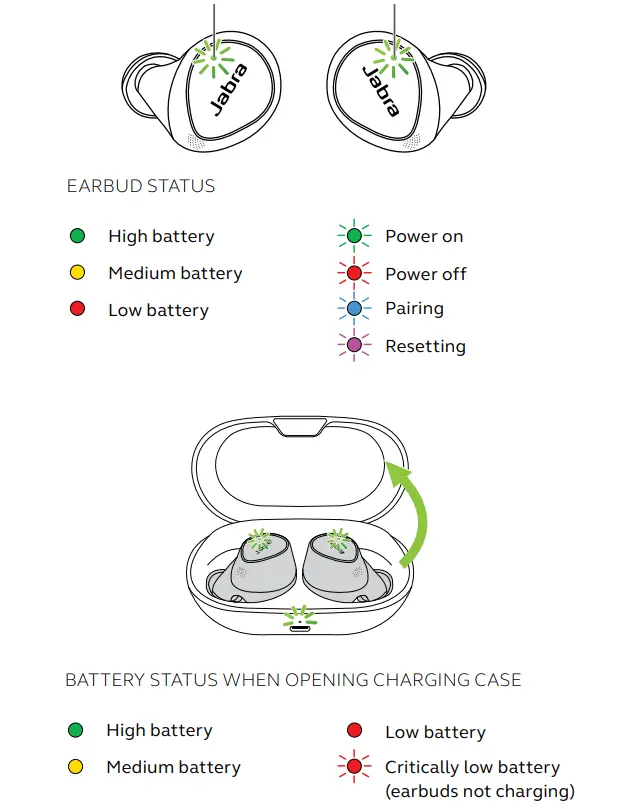
If your Elite 7 Pro buds won’t turn on at all, start with the basics: ensure the charging case is fully charged and use the supplied cable. Place the earbuds in the case and let them charge undisturbed for at least 2-3 hours. A deeply discharged battery can take a while before it can power the device and light up the LED. Try a reset by holding down both earbud buttons (with the buds in the open case) for 10+ seconds until you see a magenta flash, then close and reopen the case. Also test charging with a different power source or wireless pad, just to rule out a faulty outlet. Sometimes using another USB-C cable can make the difference if the original is damaged. These steps often revive earbuds that seem “dead” due to drained batteries.
Looking inside, the battery and power circuitry are the likely culprits. Each earbud has a tiny lithium-ion cell (around 85mAh) and a tiny power management board. If the buds haven’t been charged for many months, the cells can fall into a deep-discharge protection mode and refuse to turn on. Jabra support notes that leaving Elite 7 Pro unused for six months or more may cause this issue. A trained technician might carefully open the earbud to test the battery voltage with a bench power supply. If the voltage is far below normal, they might slowly trickle-charge the battery or replace it entirely.
Additionally, the PCB inside contains the Bluetooth/SoC chip and related circuitry; any damage here (for example, from moisture or a drop) could prevent power-up. In practice, if the buds truly have no sign of life (no LEDs after all these checks), battery replacement or PCB repair by a specialist is the solution. The case itself holds a 3.8V/450mAh pack and manages power to the buds; a failed case battery or charger IC will also keep buds dark. A technician would test the case battery voltage and the TI charger chip (like the BQ24232 or similar) and replace parts as needed.
Not Pairing:
“Not pairing” usually means the earbuds and phone just won’t connect. To fix this, start with user-level resets: remove (forget) the Elite 7 Pro from your phone’s Bluetooth list, close the Sound+ app, and reboot your phone. Then put the earbuds in pairing mode by pressing and holding both earbud buttons together for 3 seconds (until both LEDs flash blue). Try pairing again; make sure no other Bluetooth devices are interfering (turn off nearby speakers/headsets). Also verify you’re following the correct pairing procedure as per Jabra’s guide. If it still won’t connect, test with a different phone or tablet, this can reveal if the problem is with the earbud or the original device.
On the technical side, pairing issues can stem from firmware or hardware. The Elite 7 Pro uses a Qualcomm Bluetooth audio SoC, and each earbud links to the other via a near-field connection IC (NFMI). If one bud won’t pair or audio only comes from one side, the NFMI link or contacts could be at fault. A tech might open the earbud and inspect the internal antenna coil or flex cable connections. For example, a broken trace where the button is soldered can prevent Bluetooth initiation. Technicians also often reload the firmware to fix pairing bugs. Jabra’s official advice (via Sound+ app) is to “re-download” the firmware by changing the voice guidance language, this forces a firmware update. Even if your firmware seems up-to-date, this process can overwrite any corrupted audio stack.
So one practical fix is: in the Sound+ app, go to Settings > Headset > Voice guidance language, pick a language (even the same one) and update. This reloads firmware and often restores proper pairing behavior. Internally, the technician might replace the actual Bluetooth SoC or related capacitor if software fixes fail, but that’s a last resort.
Connection Drop:
Random connection drops (audio cutting out) are a common gripe with any wireless headset. First, try the straightforward fixes: ensure your phone isn’t power-saving the Bluetooth radio and stay within about 10 meters of the source. Turn off other nearby Bluetooth devices or Wi-Fi networks that might jam the 2.4GHz band, it is just a try to check there is no external interference.
Make sure each earbud has a solid charge, since a very low battery can cause drops. In the Sound+ app, check for firmware updates; installing the latest firmware often stabilizes the link. Some users have found that updating to firmware version 1.4.0 or higher greatly reduces dropouts. To do this, again use the voice guidance trick to force an update. After updating, Jabra recommends leaving the earbuds in the case for an extra 5 minutes after the LED stops blinking, to ensure the update fully installs.
Technically, Elite 7 Pro dropouts are often due to Bluetooth radio issues. The earbuds use a Qualcomm Bluetooth chip with built-in antenna; any defect in the antenna pattern or shielding can weaken the link. If firmware updates don’t help, a tech will check the antenna and solder joints on the board. In rare cases, the Bluetooth chip itself can fail and require micro-soldering replacement.
Another possibility is the ear-to-ear NFMI connection, which if weak could drop one earbud when switching audio. The teardown of Elite 65t showed an NFMI chip with its own antenna wound ferrite. Elite 7 Pro has similar tech; if that coil has shorted, only a pro can fix it. Also, the charging case’s firmware sometimes glitches, a tech might reflash or replace the case’s MCU (like the ST Microcontroller inside) to rule out case-side faults.
Mic Problems:
When the microphone on your Elite 7 Pro acts up, calls sound muffled or silent, the first fixes are simple. Ensure you’ve selected “Jabra” as the mic input on your phone or call settings. Try turning noise-cancellation on/off, or disable sidetone, to see if software is muting the mic. Check that the bud’s mic port isn’t clogged by earwax or debris (clean it gently).
Often, updating the firmware again (via the voice guidance language method) clears microphone bugs. Reboot the Sound+ app and your phone. If one bud’s mic still can’t be heard, switch sides in a call (some apps let you choose left or right mic) to isolate the bad bud.
Under the hood, each Elite 7 Pro earbud contains multiple MEMS mic sensors (for 4-mic beamforming). If a mic completely fails, a technician might open the bud and replace the microphone capsule. This is extremely delicate work: the tiny microphone is a soldered part on the PCB. Often, the issue is an IC bug rather than hardware; reflashing the firmware as one user discovered can “fix” call audio.
Also try changing the voice guidance language caused a full firmware reflash, after which the mic worked normally. So even though it sounds strange, that step is worth trying. If it’s truly a hardware fault, a tech will check the microphone traces or the bone-conduction piezo sensor (used for voice pickup). They might solder on a new mic or repair a torn ground plane. The earbuds are splash- and sweat-resistant (IP55), but water ingress or a fall can still break a mic. In very advanced labs, the audio codec chip (Qualcomm SoC) could be replaced, but most repairs stop at replacing the mic or main PCB.
No Sound:
A no sound issue can mean either one earbud or both are silent. Start with the user checks: make sure “Mono” mode is off and volume is up. Clean the speaker grills (don’t push wax further in). Try pairing with another device or switching between iOS/Android, sometimes the problem is a device-specific codec handshake. In the Sound+ app, ensure nothing like EQ is set to zero and that you’re not accidentally on an OTA test channel. Reset the earbuds (hold both buttons) and re-pair from scratch. Sometimes, toggling “Hearing Enhancement” or ANC on/off can wake the speakers.
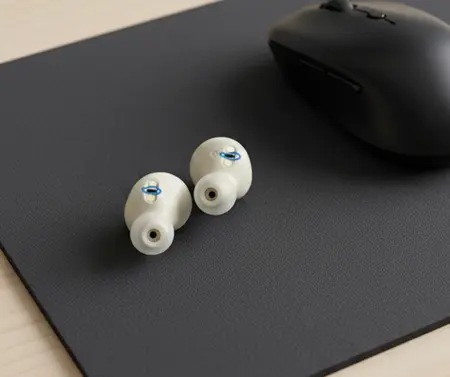
Technically, “no sound” often means a failed speaker or broken audio path. Each Elite 7 Pro speaker is a 6mm driver (as the 65t had), glued into the housing. If sound is one-sided, the tech will first swap the left/right drivers to see if the problem follows the speaker (bad speaker) or stays on the same side (bad circuit).
A healthy driving chip will produce a clicking sound even if the speaker is disconnected; if there’s no click, the amp on the PCB might be dead. Re-installing firmware can cure some silent issues, for example, the official support advice for a silent right bud is to reset to factory defaults and reload firmware via Sound+. If sound still fails, a repairer might open an earbud and test continuity from the jack connector to the driver. They can replace the speaker element if it has burned out (speakers can fail with distortion or age). They’ll also check for torn flex cables or loose solder points on the board. In dire cases, the Bluetooth chip’s audio output pin could be faulty; replacing the tiny SoC is rare but possible for a highly skilled microsoldering tech.
Repair Service Providers:
When home remedies don’t restore the jabra elite 7, it’s time for pro service. The repair shops Joe’s, Terabyte, FixHub can swap speakers and boards. Jabra even encourages sending in a failed unit for warranty support.
| Region | Service Provider | Type of Service |
|---|---|---|
| USA | uBreakiFix | Electronics and headphone/earbud repair |
| USA | Compupod | General device repair including earbuds |
| USA | Best Buy (Geek Squad) | In-store diagnostics and electronics repair |
| UK | Westend Repairs | Audio and electronics repair specialists |
| UK | The Headset Store | Headset support and repair services |
| Europe | Electronic Repair Rotterdam | Electronics and audio device repair |
| Europe | ThePhoneLab | Device repair including audio products |
| Europe | The Audio Clinic | Professional headphone and audio equipment repair |
Conclusion:
In summary, this guide addresses six common issues experienced with Jabra Elite 7 earbuds, including low volume, power-related concerns, charging difficulties, pairing problems, limitations with noise cancellation, and detection errors.
It outlines practical troubleshooting methods such as firmware updates and factory resets, while also advising users to reach out to Jabra support for further assistance if the issue requires professional evaluation or warranty service.