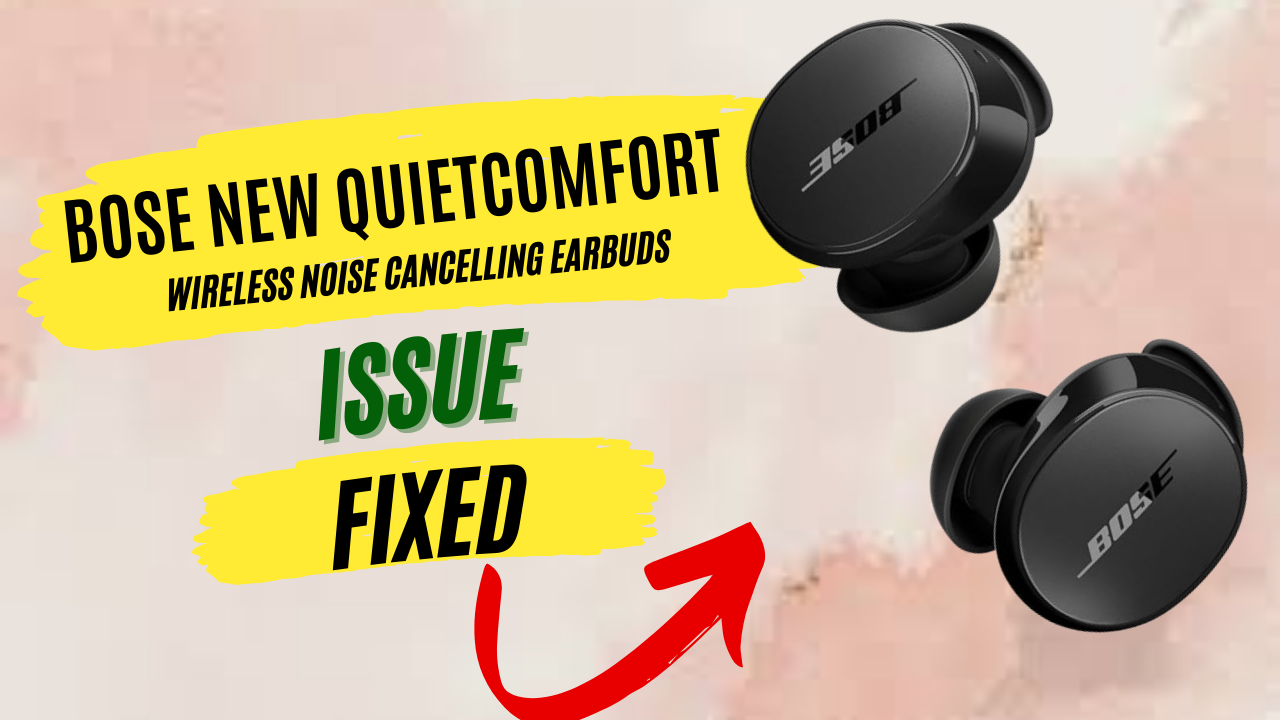
Millions of Bose QuietComfort earbud users rely on these high-end noise-cancelling buds for daily listening, but even premium products can hit occasional snags. Maybe one earbud suddenly goes silent on your commute, or they won’t pair with your phone during your workout.
This guide looks at the actual problems people face with Bose QC Earbuds (original, II, Ultra models, etc.) and provides practical fixes. We draw on official tips and technician insights to cover everything from simple resets to internal hardware checks, helping you fix issues like pairing failures, one side not working, charging faults, low volume, ANC malfunctions, fast battery drain, and mic problems. Along the way, we’ll include little-known advice that often solves problems more thoroughly than typical answers found online.
Things you know first:
If your Bose earbuds are having issues just after you buy them, the first thing to do is carefully check the setup instructions in the manual. Small things like incorrect placement in the charging case, a low battery in the case itself, or protective stickers on the charging pins can make you think that earbuds are faulty but they are actually not. If you’re sure you’ve followed every step correctly and they still have issues, it’s best not to experiment further. Contact Bose support and request a replacement, because a brand-new product should not have any problem from the start.
Over time, it’s normal for wireless earbuds to develop issues. Bose earbuds typically last around 18th to 23th months, but many users start noticing problems between the 8th and 14th month, especially with battery performance. Since Bose offers only a one-year limited warranty, you can claim a repair or replacement if the issue appears within the first 12 months. After that, the warranty expires, so you’ll need to decide whether to repair them at your own cost or replace them entirely.
It’s also important to understand what the warranty covers and what it doesn’t. Bose does not cover damage caused by misuse, accidents, regular wear and tear, or if you attempt to open or repair the earbuds yourself. If your claim is approved, Bose may repair the product, replace it with a new or refurbished unit, or offer a refund after return. However, you must provide proof of purchase, and the warranty applies only to the original buyer or gift recipient, it cannot be transferred if you sell the device.
What to do if you can’t Repair Yourself and Warranty has Ended:
If your headphones or earbuds are no longer under warranty, you can reach out to local headphone repair service providers in your area for assistance.
| Country | Service Type | Name / Website |
|---|---|---|
| USA | Mail-in headphone repair | SJY Audio |
| UK | In-shop / mail-in repair | AnyGadgetRepair |
| Finland / EU | Fixed-price headphone repair | Valco |
Common Problems with Fixes:
Here are all the problems of bose quiet comfort earbud are fixed that you can read in detial.
Earbuds Will Not Pair (Bluetooth Connection Issues)
General Fix: If your Bose QuietComfort earbuds won’t pair at all, first make sure both buds and the case are charged, a dead battery will prevent pairing. Turn on Bluetooth on your phone or device and follow Bose’s pairing steps: remove earbuds from the case, press the case button to enter pairing mode, and look for “Bose QC Earbuds” in your device’s Bluetooth list. Often simply forgetting the earbuds in your device’s Bluetooth settings and then re-pairing solves the issue.
Also restart the phone or tablet, as this clears temporary glitches. Ensure you are in pairing mode (LED flashing white) and stay close to the device to avoid interference. Sometimes switching off other nearby Bluetooth gadgets or moving away from Wi-Fi routers can help if “bose quietcomfort earbuds connection issues” persist. On phones, check for any volume limiter or security pairing setting that may block the headset.
Advanced Fix: A technician would next inspect the charging case and earbuds’ internal connections. Open the case and carefully clean the charging contacts (the small spring-loaded pins) on both earbuds and inside the case using isopropyl alcohol on a cotton swab. Misaligned stability bands (the silicone fins) can prevent a good charging or data connection. Ensure the numbered dot on each band aligns with the earbud so the charging pins make firm contact.
If one earbud still won’t pair, swap it with a known good one; this helps isolate if the issue is with the earbud itself. Internally, inspect the battery connectors and check that the tiny ribbon cable and solder pads inside each bud are intact. Sometimes, re-seating or reflowing a loose connection (a delicate job usually for repair centers) can restore pairing. Also, consider updating the firmware: Bose has released updates (especially for QC II and Ultra models) that address various QC earbuds firmware issues, so make sure the earbuds run the latest software via the Bose app or Bose Updater.
Technical Fixes: If standard fixes fail, a trained repair tech might disassemble the earbuds. Inside, each bud has a Bluetooth radio and antenna PCB. The technician would check that the antenna traces and shield are intact and that the ear detection sensor is functioning (sometimes a faulty in-ear sensor prevents an earbud from activating, making it seem unpaired).
They’d also verify the case’s battery and charging circuit, if the case itself is faulty, none of the buds will connect. In rare cases, replacing the tiny Bluetooth chip or antenna assembly on the logic board may be needed. At this level, it often makes sense to request Bose service or replacement since the repair requires microsoldering the ultra-small components.
Pairing But Keeps Disconnecting (Bluetooth Drops)
General Fix: If your earbuds pair but frequently disconnect or audio cuts out, start by reducing interference. Keep your phone or computer closer (within 10 m) and avoid blocking signals with the body (e.g. don’t keep the phone in your back pocket). Try updating the earbuds to the latest firmware (even if they seem connected) since Bose releases fixes for connectivity bugs. Also forget the earbuds on all devices and pair them fresh, and clear any duplicate listings (like names ending in “LE”) to avoid confusion.
If you use the Bose Music app or Connect app, try deleting it, some users have found that the Bose app interferes with Bluetooth on certain devices (especially QC II buds), then pair directly via the phone’s Bluetooth menu. Finally, reboot both earbuds and your device. A reset (place buds in case and hold the case button for ~20–30 seconds) can fix many minor glitches.
Advanced Fix: A tech would next ensure the resync procedure is done correctly. Place both earbuds in the case with the lid open and press each bud firmly so their status LEDs light up. Close the case, wait for the lights, then reinsert one bud to complete sync. This sequence re-establishes the internal link between left and right.
Also, check the charging contacts as in the previous section: a poor charging sync can mimic connectivity faults. If disconnects happen only with a particular device, update that device’s OS/Bluetooth drivers and disable any power-saving options on its Bluetooth adapter. For example, on Windows PCs, disable “allow computer to turn off this device to save power” for the BT adapter.
Technical Fixes: For stubborn dropouts, a technician might suspect antenna or chip faults. They would open the case and test continuity between each earbud’s ground and battery terminals, ensuring stable power and ground. Inside each earbud, the micro-antenna or Bluetooth module could be re-flowed or replaced if bad. Technicians might also check the batteries; a sagging battery can lower transmit strength. In some cases, inductive coils or EMI shielding around the Bluetooth chip need adjustment. For serious cases, replacing the earbud’s main board is the fix, typically not user-serviceable.
One Earbud Not Working (Sound Only in One Side)
General Fix: If you only hear sound in one ear, first verify if the issue is one bud or the case. Switch roles by trying the other earbud alone (put one bud in ear and case the other; you should hear a welcome tone from each). Clean the ear tips and speaker meshes of both buds, debris can muffle sound.
Also ensure both earbuds are charged and seated correctly in the case before pairing; sometimes a low battery in one bud prevents it from connecting. Try toggling mono/stereo and check your phone’s audio balance settings (ensure the balance isn’t panned fully to one side). If your earbuds have “auto ear detection,” disable it temporarily; mis-triggered detection can mute one side. Finally, reset the buds (again, case button for 30 sec) and pair them again to rule out a one-time software bug. These steps fix many cases where a bud simply refused to sync or was silenced by settings.
Advanced Fix: A technician would inspect the charging case pins first: uneven or dirty pins can leave one bud undercharged or not recognized. One user reported the left bud’s spring pin was stuck down; gently bending it up improved charging and restored audio. So check that each charging contact moves freely.
Internally, a tech might check the left and right differential drivers on the headset’s PCB, if one side’s digital-to-analog converter or amplifier fails, it mutes that speaker. They could replace or re-solder the audio amplifier chip on the bud’s board. An oscilloscope test might show if the speaker coil gets a signal. If only the left bud ever fails, it may have a bad battery or a broken solder joint on its power supply, technicians can open that bud and check for loose connections between the battery and board. Also inspect the earbuds’ microphones and touch sensors: if one bud’s sensor is stuck, it might not register as “in-ear” and stay muted.
Technical Fixes: In extreme cases, a total hardware replacement may be needed. The tech could desolder and swap the MEMS speaker driver or replace the whole sub-module inside the earbud. If the internal battery is swollen or completely dead on that side, replacing it could solve severe one-sided silence.
Some Bose models allow one earbud to serve as the master, if that master chip dies, the other bud won’t get audio. An expert would replace the main logic board of the affected earbud. At this level, it’s often more practical to use warranty service or replace the set, since opening and repairing tiny earbuds is very delicate.
Earbuds or Case Not Charging:
General Fix: If your earbuds won’t charge in the case (for example, you searched “bose earbuds not charging in case”), start simple: clean all contacts. Use a soft dry cloth or cotton swab with isopropyl alcohol to clean the case’s contacts and the little metal charging pins on each earbud. Remove and realign each stability band (the fins) so the numbered dot lines up with the mark on the earbud bottom.
Even a slightly off band can prevent the bud from “snapping” fully onto the charging pins. Make sure the case itself has enough battery (charging the case fully often restores earbud charging). Always close the lid when charging; open lids can put the earbuds in standby instead of charging. Also try a different USB charger or cable, as a weak charger may not power the case properly. These steps fix most charging issues.
Advanced Fix: A technician would carefully inspect the case’s and earbuds’ charging connectors. The gold-plated spring pins in the case and the matching pads on the buds can corrode or stick. Gently bend any depressed pins upward so they press firmly into the earbud contacts; lubrication with a tiny drop of conductive grease can help.
Technicians can also test the voltage output of the case’s USB port to ensure the case electronics are providing power. For a “bose left earbud not charging,” it may be that only the left side pin is misaligned or blocked by a fin. Remove the bands and look for bent pins. If one bud works on a charger cable but not in the case, suspect the case circuitry.
Technical Fixes: Inside, each earbud has its own Lithium-ion cell and charging IC. A tech might open the earbud and check if the internal charge controller is faulty. If dust or wax got inside, it could short a pad. On rare occasions, the solder joints between the earbud PCB and the charging terminals can crack. Reflowing those tiny joints might be needed.
The case’s internal battery or PCB could also fail; replacing the internal battery pack in the case or the case’s PCB (which routes power to the two bays) is a job for service centers. Essentially, if cleaning pins and aligning bands fail, it often requires professional repair or replacement of the case or earbud internals.
Sound Too Quiet (Not Loud):
General Fix: If your Bose QC earbuds seem not loud enough even at max volume, first check simple settings. Ensure the app’s volume limiter isn’t enabled and that your phone’s media volume is maxed out. In the Bose Music app, check the EQ settings, a heavy bass boost or treble cut might perceptually lower volume; try resetting the EQ or turning it off. Make sure you’re wearing the earbuds correctly: a loose fit or wrong orientation can greatly reduce perceived loudness.
Choose the best-fitting ear tips for a good seal; a poor seal leaks sound. Try different audio sources or apps to rule out a low-volume file. Also disable ANC for a moment – sometimes active noise cancelling can change the sound signature and make things seem quieter. If none of this helps, reset the earbuds and paired device, as software quirks can affect the amplifier.
Advanced Fix: A technician would clean the acoustic ports and driver mesh. Wax or debris on the speaker grill can muffle sound; carefully remove the ear tip and wipe the mesh with a dry toothbrush or compressed air (avoid liquid unless a gentle wipe with alcohol). Internally, if one side is quieter, they’d open that bud to check the speaker driver and its connection.
The speaker (electro-acoustic driver) can be replaced if it’s blown or miswired. Also inspect for any moisture or damage to the foam cushion behind the driver. A tech might test the output with specialized equipment; if the amplifier chip on the PCB is faulty, it would need replacing (again, a very tiny component).
Technical Fixes: In the worst case, the tech may replace the earbud module entirely. The driver coils or diaphragms are not usually serviceable at home. A failed internal amp or DSP chip would require a new board.
In practice, if neither side is loud enough after all fixes, it could point to a supply voltage issue from a weak battery or case. Measuring the DC supply to each earbud could identify if low voltage is limiting volume. But often such deep fixes exceed home repair, getting a replacement under warranty may be the best option.
ANC (Noise Cancellation) Not Working:
General Fix: If active noise cancellation suddenly stops working or seems very weak, check the basics. Ensure ANC is actually turned on in the app or via the earbud controls (some models have multiple “modes” like Aware/Ambient). Try toggling ANC off and on. Also reboot the earbuds (reset in case) and the source device, sometimes a firmware glitch can disable ANC.
Make sure the buds have the latest software; older firmware versions have known issues with ANC on QuietComfort earbuds. Try using the earbuds in a truly quiet place to see if you feel the ANC engage (you’ll often hear a slight tone). If you recently updated phone OS or Bluetooth, make sure those are not interfering. If your buds have Adaptive EQ or Quiet Mode, disable these and test again.
Advanced Fix: ANC relies on tiny microphones (usually two on each bud). Check that nothing is blocking those mic holes. The stability band can cover a mic if misaligned, ensure it’s snapped on correctly so mic holes are clear. A technician would clean the mic ports with a soft brush or compressed air.
They’d also test the microphone elements: using specialized tools, they can see if the feedback or feedforward mic is generating the cancellation signal. If an earbud’s mic is dead, ANC stops. The tech might replace the MEMS microphone capsule on the bud’s PCB. Additionally, they’d confirm the internal ANC DSP chip is functioning, some buds use a tiny DSP separate from the main processor.
Technical Fixes: In complex cases, the noise-cancel circuit or battery can be at fault. If the battery is weak, the ANC algorithm may disable to conserve power. A tech might replace a failing battery (which may require partial disassembly).
For the electronics, complete replacement of the ANC module or even the entire earbud PCB might be necessary if chips have failed. However, since ANC issues often point to firmware or mic alignment problems, most cases are resolved before needing such deep repair. The steps above (reset, charge, update, clean mics) fix most ANC failures.
Battery Draining Fast:
General Fix: If your Bose earbuds’ battery life suddenly plummets (“bose quietcomfort earbuds battery draining fast”), start by checking usage patterns. Turn off features like ANC or Transparency mode when not needed, and make sure the buds power down when placed in the case. Leave them in the case when idle so they enter the low-power sleep mode (they do drain if left out for >10 min).
Disable any “auto off” or gesture controls you don’t need in the app. Also, avoid extremely hot or cold storage; extreme temperature can make the battery appear to die quickly. Try updating firmware, as battery management bugs can sometimes be fixed by software. Finally, reset both buds (in case) and run them completely down to 0%, then charge fully, this battery calibration can sometimes correct false quick-drain readings.
Advanced Fix: A technician suspecting excessive drain would test each earbud’s battery. They’d measure the resting voltage: if one bud reads significantly lower, its battery may be failing. The tech might open the bud to check for swollen or damaged cells. Lithium batteries degrade over time; if they hold much less than their rated voltage, replacement is needed.
The tech would swap in known-good battery cells (a very tricky solder-in job) or check the charging circuitry on the board. They’d also examine the case’s battery and the contact between case and earbuds; a bad case battery or charger IC could cause one side to drain while charging the other unevenly.
Technical Fixes: In many cases, the ultimate fix is battery replacement. As one technician notes, rapid drain “sounds like the battery needs to be replaced” and it’s “a specialized task” often best handled by authorized service. Opening these earbuds requires heat and precision to swap out the tiny cells.
If you go this route, be aware it typically requires professional skill (the internals are glued and soldered). Otherwise, replacing the entire earbud or case assembly under warranty is usually the practical solution for batteries that can no longer hold charge.
Microphone Not Working:
General Fix: If people can’t hear you on calls (or one bud’s mic isn’t working), first rule out software. Make sure the phone isn’t on mute and that you haven’t accidentally disabled the microphone in the call app. In the Bose app, check if there is a setting for selecting the microphone input (some apps let you choose left vs. right bud mic). Try using the earbuds with a different device to see if it’s the buds or the original phone.
Also confirm the stability bands aren’t blocking the mic holes, the band should sit so that the little hole isn’t covered. Ensure you’re speaking with the logo facing your mouth or chin (the mic position varies by model). Finally, reboot the earbuds (reset procedure) and update firmware, as fixes to mic performance have been included in recent updates.
Advanced Fix: A technician would inspect and clean the microphone holes on each earbud. Tiny openings near the ear tip can get clogged by wax or debris; carefully clean them with a soft bristle brush. They’d test the MEMS microphone element directly, often by sending audio through it to check for a signal.
If a mic is dead, they may replace it on the earbud’s PCB. They would also check the flex cable or solder pad connecting the mic to the main board, as a loose joint could cut off audio pickup. Some Bose models have separate mics for calls and for ANC; a tech will identify which mic path is silent and fix that.
Technical Fixes: If one bud’s mic is physically broken, the tech might transplant the mic capsule from the other earbud (if compatible) to isolate a fault. They will also examine the bud’s internal circuit: some earbuds have one bud as the “primary” for voice, so swapping roles might bypass a bad mic channel. In extreme cases, the entire board or earbud assembly is swapped out.
One rare fix is replacing the ear detection sensor (the IR optical chip): if it fails, it can disable the mic. Overall, if cleaning and resetting don’t help, mic issues usually require professional attention or replacement under warranty.
Conclusion:
Each of the above solutions is based on Bose’s official troubleshooting tips and real user reports. By systematically trying the simple fixes first (charging contacts, firmware, resets, correct wearing), many problems can be solved quickly. If problems persist, the more advanced checks can diagnose deeper hardware faults.
This article covers all known common issues with Bose QuietComfort earbuds, from QC Earbuds Gen 1 up to Ultra Gen 2, in a detailed, down-to-earth way so that readers can find the solution that works for them.